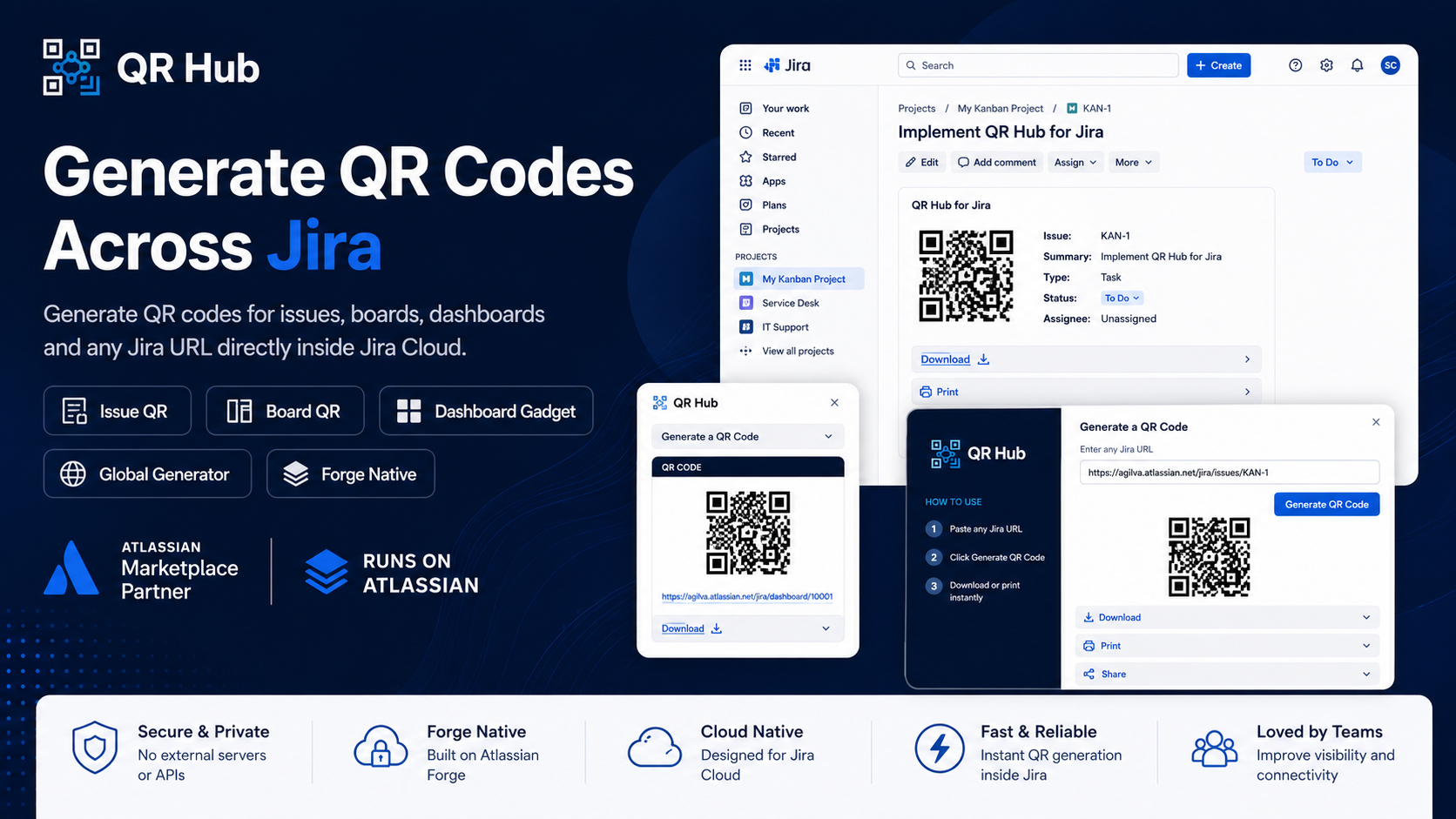
Bridge physical and digital workflows — instantly generate QR codes for any Jira content. Scan any Jira issue, board, backlog, or URL from anywhere in the world. No external services. No data leaving Atlassian.
Runs on Atlassian
100% Free · No paid tiers
No data leaves Atlassian
Features
Every place you work in Jira, QR Hub is there
Generate, download, print, and style QR codes without ever leaving your Jira workflow.
Issue QR Panel
Generates a QR code for any Jira issue directly in the issue sidebar, shown alongside key, summary, type, status, project, and assignee. One click to download or copy.
Board & Backlog QR
Access QR generation from the “…” menu on any Scrum or Kanban board and backlog view. No navigation required — the QR is always one click away.
Dashboard Gadget
Add QR Hub as a Jira dashboard gadget. Paste any Jira URL, generate your QR, and it persists across page refreshes — ready to share with your team instantly.
Global QR Generator
Generate a QR code for any Jira URL from Apps → QR Hub in the left nav. Features instant type detection — it recognises issues, boards, projects, and generic links automatically.
Download in Multiple Formats
Export QR codes as PNG, JPG, or SVG at three sizes: 128px, 256px, or 512px. Use the format and resolution that fits your print or digital use case.
Print as PDF
Three print layouts: QR only, full issue details table, and the premium Jira Tag — a vertical layout styled like an airline boarding pass, for physical asset labelling.
QR Styles
Choose between Rounded, Classy, or Square dot styles for every generated QR code. Match the aesthetic of your documentation or branded print materials.
Pricing
Completely free.
No paid plans. No feature gates. Every capability is available to every user from day one.
The only plan
Free
$0/mo
For every user on your Jira Cloud instance
Issue QR Panel
Board & Backlog QR
Dashboard Gadget
Global QR Generator
PNG, JPG & SVG export
PDF print layouts (3 styles)
Rounded, Classy & Square QR styles
No external data transfer
Coming to Marketplace Soon
Billed at $0. Always. No credit card required.
Thank you. We'll be in touch shortly.
Get in touch
Let's talk.
Tell us about your project or ask us anything. We reply within one business day.